Resource
Language
Choosing e-Progressive Lenses is not simply a matter of selecting the newest lens technology. It is a decision shaped by your prescription, daily habits, frame choice, and visual expectations. A lens that works beautifully for a desk-based professional may feel unsuitable for someone who drives at night or spends hours outdoors. The term “e-Progressive Lenses” can also vary between manufacturers, so confirm the exact design and customization options with a qualified eye-care professional.
Small measurements matter. Pupillary distance, fitting height, and the frame’s position can affect how smoothly your vision changes from reading to distance. A precise eye examination should identify prescription changes, eye health concerns, and differences between your two eyes. Your optician should also ask how you use your vision, not just what strength you need. Mention computer distance, phone habits, nighttime driving, and frequent head movement.
Comfort comes from matching design to real life.
Lens selection is partly technical and partly personal. Wider reading areas may help frequent readers, while improved peripheral control can benefit active users. However, no progressive lens removes every adaptation period or guarantees perfect comfort. That is an important limitation. Even experienced wearers may need adjustments, especially after changing frames or prescriptions. Reviewing lens measurements, warranty terms, and adaptation support can prevent disappointment. This guide explains the practical questions, professional checks, and honest trade-offs that can help you choose e-Progressive Lenses with greater confidence.
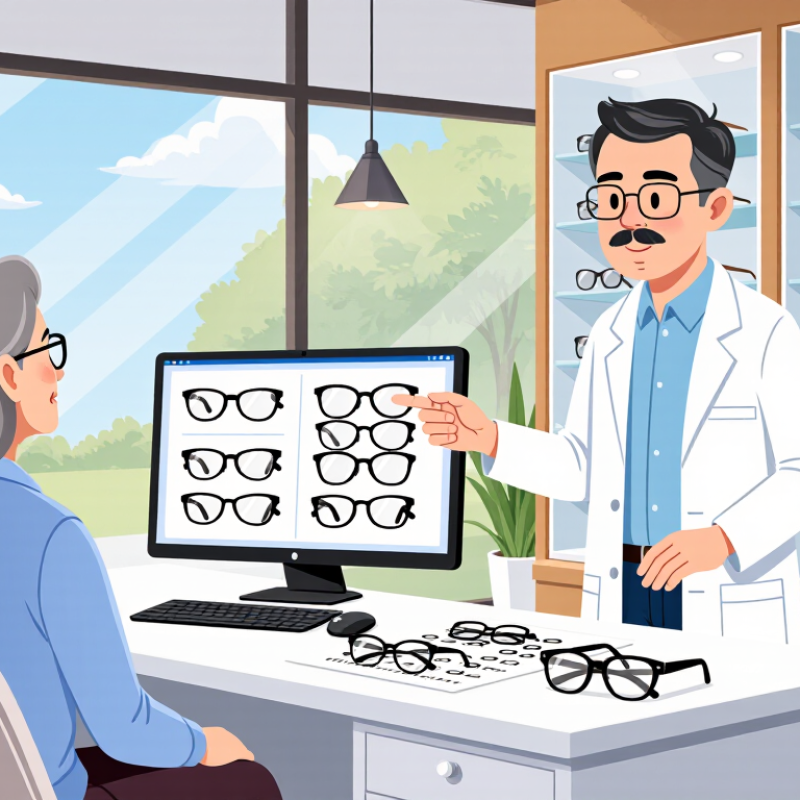
How to Choose e-Progressive Lenses?
Understanding how e-progressive lenses work starts with their digital design. Unlike older progressive lenses, they use computer-controlled surfacing to create a customized power map. This map connects distance, intermediate, and near vision zones through a gradual corridor. Your eyes move across the lens, not between visible lines. The fitting process matters greatly. Pupillary distance, fitting height, frame position, and posture can influence the final result. An experienced optician should measure these details while you wear the chosen frame.
The Vision Council’s 2023 Consumer Insights report states that about 75% of U.S. adults use some form of vision correction. That figure shows how important daily comfort has become. However, industry reports rarely measure e-progressive performance in identical conditions. This is where caution helps. A digitally surfaced lens may reduce unwanted blur, but it cannot remove every adaptation issue. Your reading distance, screen height, and head movement still affect clarity. The World Health Organization reports that at least 2.2 billion people live with near or distance vision impairment, reinforcing the need for accurate correction and professional care.
Tips: Bring your usual reading distance to the eye examination. Mention long screen sessions and evening driving. Choose a stable frame that sits evenly. Ask for a clear explanation of the corridor design. Allow several days for adaptation, but report persistent dizziness or blur. I have found that “wider” is not always better; personal measurements can matter more.
| Selection Dimension | How e-Progressive Lenses Work | Typical Information or Range | Choosing Guidance |
|---|---|---|---|
| Digital lens design | Computer-controlled surfacing creates a progressive power profile across the lens instead of using one fixed distance, intermediate, and near zone. | The design can be adjusted using prescription values, frame measurements, wearing position, and visual-use preferences. | Choose a digitally optimized design when accurate measurements and a personalized visual profile are available. |
| Prescription suitability | The lens distributes changing optical power vertically, allowing one pair of glasses to support far, intermediate, and near vision. | A complete prescription normally includes sphere, cylinder, axis, near addition, and sometimes prism. | Use a current eye examination. Do not select progressive lenses from an outdated or incomplete prescription. |
| Near addition power | The near portion adds focusing power progressively toward the lower part of the lens to compensate for presbyopia. | Near addition is commonly prescribed in diopters and may vary from approximately +0.75 D to +3.00 D or more. | Higher additions may require careful corridor and frame selection to preserve usable intermediate vision. |
| Fitting height | The fitting height positions the progressive corridor so the wearer can move naturally from distance vision to reading vision. | It is measured from the bottom of the lens or frame reference point to the pupil center while the frame is properly adjusted. | Accurate monocular fitting heights are especially important for narrow frames, high prescriptions, and strong near additions. |
| Pupillary distance | The optical design is centered according to each eye’s position, helping align the intended viewing zones with the wearer’s pupils. | Monocular pupillary distance records the distance from the bridge center to each pupil; binocular PD is the combined measurement. | Prefer individual right and left measurements rather than relying only on a single combined PD. |
| Frame size and shape | The available lens area affects the length of the progressive corridor and the space available for distance, intermediate, and near viewing. | A deeper lens generally provides more vertical room. Very shallow frames may limit corridor options. | Select a frame that fits securely and provides adequate vertical depth for the chosen progressive design. |
| Corridor length | The corridor is the transition area between distance and near power. A longer corridor can spread the power change over more space, while a shorter corridor fits smaller frames. | Common design choices include short, medium, and long corridors; the actual usable length depends on the frame and prescription. | Choose a shorter corridor for compact frames and a longer corridor when intermediate comfort and gradual transitions are priorities. |
| Primary visual tasks | The design can balance the width and placement of visual zones according to how the wearer uses the lenses. | Common tasks include driving, outdoor distance viewing, computer work at about 50–75 cm, and reading at about 35–45 cm. | Tell the optician which task occupies most of the day so the intermediate and near zones can be prioritized appropriately. |
| Intermediate vision | The middle section provides viewing power for dashboard information, computer monitors, cooking, and other arm’s-length activities. | Computer viewing distance is often approximately 50–75 cm, while reading distance is commonly about 35–45 cm. | If screen work is frequent, discuss a design with a wider or more accessible intermediate area. |
| Peripheral blur and swim | Because progressive power changes across the lens, unwanted astigmatic areas may occur away from the main viewing path and can cause peripheral blur or a sensation of movement. | The amount and location of unwanted astigmatism vary with prescription, addition power, corridor length, and design strategy. | Personalized digital designs may help manage these effects, but no progressive lens completely removes peripheral blur. |
| Lens material and thickness | Material choice affects weight, thickness, optical performance, and impact resistance, while the progressive design controls the power distribution. | Common refractive index choices include approximately 1.50, 1.56, 1.60, 1.67, and 1.74. | Higher-index materials can reduce thickness for stronger prescriptions, but material selection should also consider optical quality and frame size. |
| Lens coatings | Anti-reflective and hard coatings reduce reflections, improve surface durability, and make cleaning easier; they do not change the progressive power zones. | Typical options include scratch-resistant, anti-reflective, water-repellent, and ultraviolet-filtering treatments. | An anti-reflective coating is useful for night driving, computer use, and reducing visible reflections in photographs. |
| Adaptation period | The visual system learns to use the changing zones, and the wearer learns to point the nose and eyes toward the appropriate viewing area. | Many new wearers adapt within several days to a few weeks, although adaptation time varies substantially. | Wear the lenses consistently when possible and return for a fitting check if blur, headache, dizziness, or strong distortion persists. |
| Measurement verification | Digital calculations depend on the accuracy of the prescription, pupil positions, fitting heights, frame angle, and vertex distance. | Important fitting parameters may include monocular PD, fitting height, pantoscopic tilt, wrap angle, and vertex distance. | Have the frame adjusted before measurements are taken and verify the lenses after delivery. |
| When a separate computer lens may help | A dedicated occupational or computer lens can allocate more lens area to intermediate and near distances than a general-purpose progressive lens. | These lenses are usually optimized for a defined working range rather than unrestricted distance-to-near viewing. | Consider a separate pair if computer work occupies many hours and the general-purpose progressive does not provide a comfortable screen view. |
Note: Measurements, lens availability, adaptation time, and recommended materials vary by prescription, frame, and individual visual needs. A qualified eye-care professional should verify the prescription and fitting measurements.
Choosing e-progressive lenses starts with your real visual routine, not your age alone. Do you drive at night, read printed pages, or switch between a laptop and phone? Digitally optimized progressive lenses can support these changing distances, but only when the prescription and measurements are accurate. The World Health Organization’s World Report on Vision estimates that at least 2.2 billion people have near or distance vision impairment worldwide. That figure highlights a practical point: blurred vision should receive professional attention, not a quick online guess.
Your working distance matters. A designer viewing two monitors may need a broader intermediate zone. A teacher may need clear vision across a classroom, tablet, and book. Someone who cycles may prioritize stable distance vision and a secure frame fit.
The Vision Council reported in 2023 that 104 million American adults experience digital eye strain. Long screen sessions can expose weaknesses in an unsuitable lens design. Still, lenses are not magic. I sometimes see people expect immediate perfection, although adaptation can require patience and small fitting adjustments.
Tips: Track your daily tasks for one week. Note screen distance, lighting, driving, and reading time. Bring this record to an optometrist. Ask how the lens design matches your posture and working distances. Keep realistic expectations. Your habits may change, and your lens choice may need review.
Choosing e-progressive lenses starts with your daily visual habits, not a digital label. A lens designer may adjust the corridor, reading zone, and peripheral balance using measurements from your frame and posture. This can help when you move between a phone, monitor, and road signs. Fit still matters. An experienced optician should check your pupillary distance, fitting height, vertex distance, and frame position.
Lens material changes comfort and protection. High-index material can reduce thickness for stronger prescriptions, but it may reflect more light without a suitable coating. Polycarbonate is impact resistant and lightweight, while Trivex can offer a clear, durable option for active wearers. Each material has trade-offs. I once preferred the thinnest lens, then noticed its extra reflections during evening driving. That choice was not as practical as expected.
Digital features may include personalized corridor design, screen-distance support, and glare or blue-light management. These features should match real tasks, rather than appear as automatic upgrades. Ask how the lens is measured, which distances are optimized, and whether the design suits your prescription. A reliable provider will explain adaptation time and remake policies clearly. Do not rely only on a phone-based measurement. It can be useful, but an in-person verification remains important. Small errors in frame fit can shift the viewing zones noticeably. Your most honest test is simple: wear the lenses through a normal workday, then review what feels clear, strained, or inconvenient.
How to Choose e-Progressive Lenses?
Checking prescription accuracy should come before discussing lens design. The World Health Organization’s World Report on Vision estimates that at least 2.2 billion people have vision impairment worldwide. The IAPB Vision Atlas 2021 identifies uncorrected refractive error as a major contributor. Small errors matter.
Ask for a fresh refraction, not an old prescription. The optician should verify sphere, cylinder, axis, and addition power. Monocular pupillary distance is important for progressive lenses. Each eye may sit slightly differently. I once assumed a single PD was sufficient. That assumption was too simple. The fitting height must also be measured while you wear the selected frame, with your natural posture. A few millimeters can affect reading comfort.
Frame compatibility deserves equal attention. Choose a frame with enough vertical depth for the progressive corridor. Extremely shallow shapes can restrict useful zones. The frame should remain stable on your nose and allow proper adjustment. Vertex distance, pantoscopic tilt, and face-form angle influence how the prescription performs. These fitting factors are recognized in optical standards, including ANSI Z80.1 and ISO 21987. A large wrap may need compensated measurements.
Do not select a frame only because it looks attractive. Tilt your head, read a phone, and look across the room before ordering. Adaptation is not always immediate. Sometimes the measurement is correct, yet the frame fit is wrong. That possibility deserves an honest check.
How to Choose e-Progressive Lenses?
Selecting a Qualified Optician and Reviewing Aftercare Support
Choosing e-progressive lenses begins with the optician, not the frame. Look for verified professional training, current registration, and experience with digitally surfaced progressive designs. A qualified optician should review your prescription, working distance, reading habits, and typical screen position. Ask for clarity.
During the consultation, notice whether measurements feel careful rather than rushed. The optician should check your pupil distance, fitting height, facial position, and frame alignment. Small errors can cause blur, headaches, or difficulty finding the correct viewing zone. Bring your usual glasses, if available. They can reveal habits that a prescription alone cannot show.
Aftercare matters just as much as lens selection. Ask whether the practice provides follow-up fitting checks and minor frame adjustments. Confirm the adaptation policy, remake conditions, and how prescription concerns are assessed. A reliable professional will explain what discomfort is normal and what requires prompt review. Keep the receipt and written instructions.
Give your eyes a reasonable adjustment period, but do not ignore persistent problems. If stairs appear distorted or reading remains strained, return for assessment. The first fitting may not be perfect. That is not always failure; faces, frames, and daily tasks vary. Still, repeated changes should be documented and explained. Good aftercare turns an uncertain purchase into a monitored fitting experience.
Digital surfacing creates a customized power map. It connects distance, intermediate, and reading zones through a gradual corridor. Your eyes move across the lens without visible lines.
Pupillary distance, fitting height, posture, and frame position affect clarity. Each eye may need separate measurements. A few millimeters can change reading comfort.
Request a fresh refraction before choosing the lens design. Verify sphere, cylinder, axis, addition power, and monocular pupillary distance. Old prescriptions may no longer fit your needs.
Choose a frame with enough vertical depth for the corridor. It should sit evenly and remain stable on your nose. Very shallow frames can restrict useful vision zones.
Not always. Personal measurements, reading distance, and posture may matter more. Wider is not automatically better.
Mention long screen sessions, evening driving, and your usual reading distance. Bring a phone or book to demonstrate your normal viewing position. Details help.
Many people need several days to adjust. Move your head naturally while exploring different viewing zones. Persistent dizziness or blur deserves professional review.
Yes, sometimes the frame fit causes the problem. Vertex distance, tilt, and face-form angle can change lens performance. I once assumed the prescription was enough. That was too simple.
Choosing e-Progressive Lenses begins with understanding how they provide different vision zones for near, intermediate, and distance viewing. Consider your prescription, visual habits, and daily activities, such as reading, computer use, driving, or frequent changes between viewing distances. These needs will help determine which lens design offers the most comfortable and natural vision.
When comparing options, review the lens design, material, coating choices, and available digital features, while also confirming that your prescription is accurate. Frame size, shape, and fit are equally important because they can affect how well the lens zones align with your eyes. Finally, work with a qualified optician who can take precise measurements, explain adaptation expectations, and provide reliable aftercare support. A thoughtful selection process can improve comfort, clarity, and satisfaction with your new lenses.